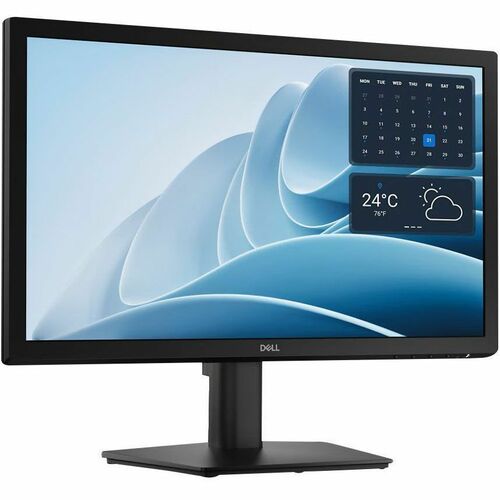
DELL PRO 20 MONITOR - E2026H
$112.49$90.98
DELL PRO 27 QHD MONITOR - E2726DS
Adding to inquiry lets you bundle multiple products into a single quote request.
Get the essentials to enhance productivity with this 27-inch, height-adjustable, QHD monitor certified by TÜV Rheinland®for 3-star eye comfort.
An improved viewing experience
Work with a high 100Hz refresh rate across your tasks, supported by a TÜV Rheinland 3-star certified viewing experience coupled with ComfortView Plus.
High refresh rate
A high 100Hz refresh rate delivers less flicker, more seamless scrolling and smoother motion.
Play video about Comfort View Plus
Minimize harmful blue light exposure without sacrificing color accuracy. See the altered color quality with software-enabled low blue light technology and Dell's built-in ComfortView Plus.
ComfortView Plus
Minimize harmful blue light exposure without sacrificing color accuracy with Dell's always-on, built-in ComfortView Plus.
See the difference when ComfortView Plus helps dial back the yellow hues to ensure better color fidelity, compared to the results of software-enabled low blue light technology.
Dependable from every angle | QHD Resolution
2560 x 1440 resolution makes every detail stand out.
Wide viewing angle
With In-Plane Switching (IPS) technology, you get consistent views across a wide 178°/178° viewing angle.
Ultra-thin bezel design
See more with fewer distractions.
Built-in dual 2W speakers
Clear audio for an enhanced listening experience.
Functional, space-saving design | Adapts to your needs
Work comfortably with a height-adjustable stand that extends up to 5.1 inches (130 mm). Suitable for any desk size with versatile VESA-compatible mounts and stands.
Convenient connectivity
Connect to current and legacy systems via HDMI and DP ports.
Keeps you on track
Instantly stay updated with incoming audio notifications through integrated speakers.
Work in comfort
Adjust your monitor to suit your preference throughout the day.
Dell Display and Peripheral Manager
Experience Dell's singular, innovative application to optimize the performance of your entire Dell PC workspace.
Maximize productivity
Easy Arrange tiles apps across screens with pre-set partitions and customizes up to five windows, enhancing multitasking. Easy Arrange Memory saves and restores app profiles manually, on schedule, or at start-up.
Customize your views
Work comfortably, day or night. Automate your brightness and contrast settings to match your schedule.
More manageable
Save time and boost IT efficiency with the Dell Device Management Console to manage your Dell peripheral fleet at scale, from a single cloud-based console. Discover expanded Command Line Interface features from Dell Display and Peripheral Manager.
| HDMI | Yes |
|---|---|
| Depth | 2" |
| Width | 24.1" |
| Height | 14" |
| Features | BFR Free |
| Speakers | Yes |
| Frequency | 60 Hz |
| Brand Name | Dell |
| Brightness | 300 Nit |
| Microphone | No |
| Mount Type | Panel Mount |
| Color Gamut | 72% NTSC (CIE 1931) |
| DisplayPort | Yes |
|---|---|
| Energy Star | Yes |
| Pivot Angle | +/-90° |
| Pixel Pitch | 0.23310 mm x 0.23310 mm |
| Screen Mode | WQHD |
| Stand Depth | 8.33" |
| Stand Width | 10.12" |
| Aspect Ratio | 16:9 |
| Color Family | Black |
| HDMI Version | <p>1.4</p> |
| Manufacturer | Dell Technologies |
| Product Line | Pro |
| Product Name | Pro 27 QHD Monitor - E2726DS |
| Product Type | LED Monitor |
| Stand Height | 16.07" |
| Curved Screen | No |
| Product Color | Black |
| Product Model | E2726DS |
| Response Time | 5 ms |
| TAA Compliant | No |
| TCO Certified | Yes |
| Glass Hardness | 3H |
| HDCP Supported | No |
| Product Family | Pro |
| Stand Included | Yes |
| Color Supported | 16.7 Million Colors (8-bit) |
| Voltage Current | 1.20 A |
| Adjustable Stand | Yes |
| Depth with Stand | 8.33" |
| Panel Technology | In-plane Switching (IPS) Technology |
| Bezel Width (Top) | 0.31" |
| Height with Stand | 16.07" |
| Number of Screens | 1 |
| Screen Size Class | 27" |
| Stand Adjustments | Height |
| Bezel Width (Left) | 0.31" |
| Eye Comfort Rating | 3 Star |
| Maximum Resolution | 2560 x 1440 |
| Number of Speakers | 2 |
| Bezel Width (Right) | 0.31" |
| Input Voltage Range | 100V AC to 240V AC |
| VESA Mount Standard | 100 x 100 |
| Backlight Technology | LED |
| Bezel Width (Bottom) | 0.52" |
| Pixel Per Inch (PPI) | 109 |
| Viewable Screen Size | 27" |
| Weight (Approximate) | 7.12 lb |
| Native Contrast Ratio | 1,000:1 |
| Response Time Details | 8 ms GTG |
| VESA Mount Compatible | Yes |
| Number of DisplayPorts | 1 |
| Pixel Pitch (Vertical) | 0.23310 mm |
| Vertical Viewing Angle | 178° |
| Horizontal Viewing Angle | 178° |
| Manufacturer Part Number | DELL-E2726DS |
| Pixel Pitch (Horizontal) | 0.23310 mm |
| Eye Comfort Certification | Yes |
| Maximum Adjustable Height | 5.12" |
| Maximum Operating Altitude | 16400 ft |
| Maximum Preset Resolution | 2560 x 1440 at 100Hz |
| Operating System Supported | Windows |
| Total Number of HDMI Ports | 1 |
| Manufacturer Website Address | http://www.delltechnologies.com |
| Number of HDMI 1.4 (HDCP 1.4) | 1 |
| Maximum Non-operating Altitude | 40000 ft |
| Weight with Stand (Approximate) | 10.85 lb |
| Number of DIsplayPort 1.4 (HDCP 1.4) | 1 |
| Dell Display and Peripheral Manager Compatibility | Yes |
More in DSKDSP from DELL DISPLAYS and similar brands
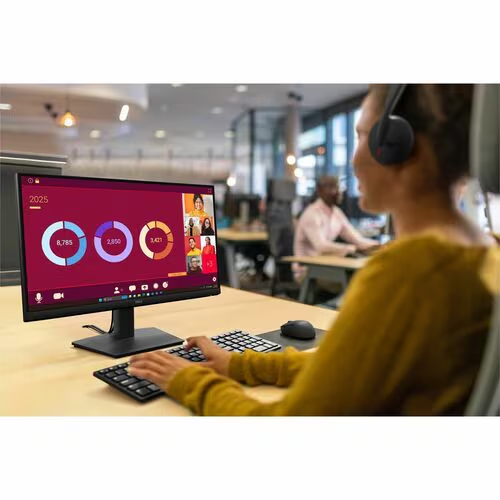
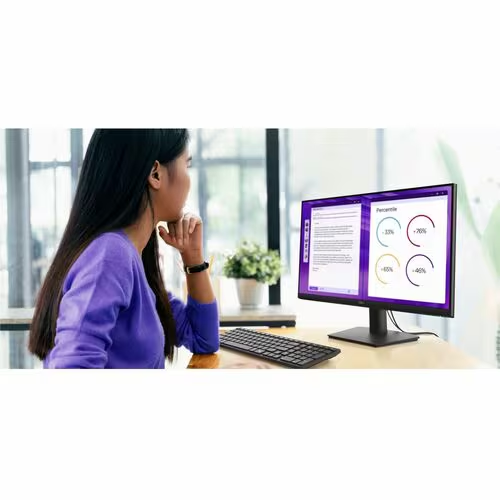
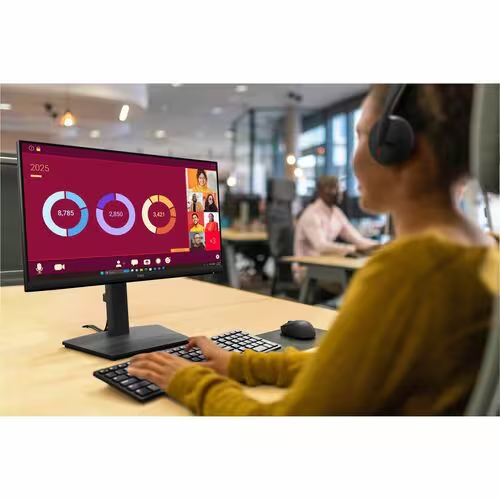
Ask us about compatibility, pricing tiers, lead time, or anything else. We typically reply within one business day.
Actual pricing depends on volume, configuration, and current promotions. Reach out and we'll put together a real quote — often below this number.