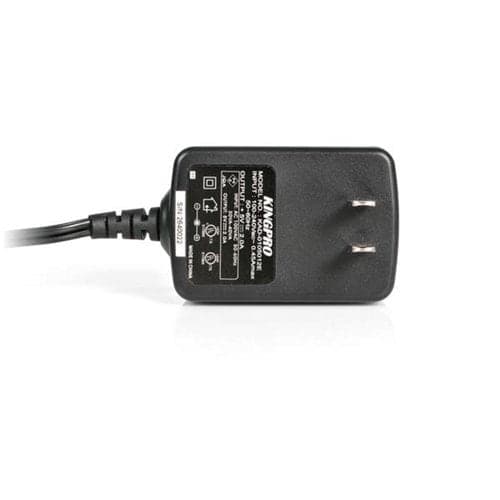
5V DC POWER SUPPLY REPLACEMENT POWER SUPPLY ADAPTER CABLE CORD
$22.54$21.53
DUAL-LAPTOP USB-C KVM DOCKING STATION - KVM SWITCH DOCK
Adding to inquiry lets you bundle multiple products into a single quote request.
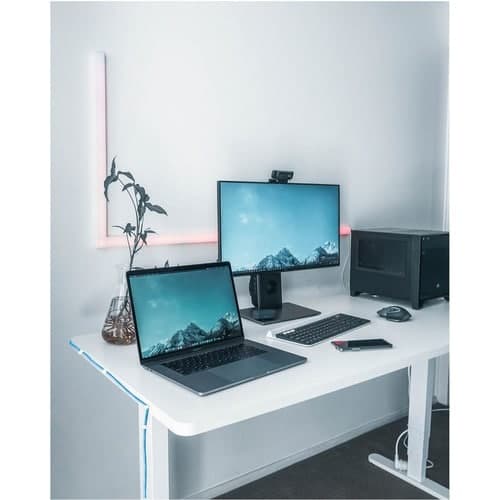
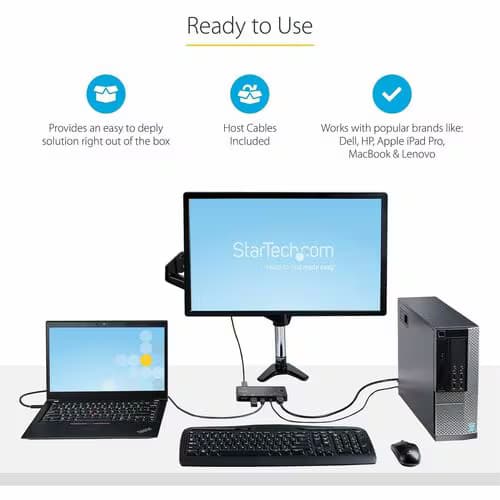
Dock and Switch between two laptops to access your workstation peripherals including dual monitors, seamlessly switching between laptop computers with the push of a button. The downloadable Hot-Key software (available for Windows and macOS), enables users to switch between computers using key combinations from a keyboard.
DisplayLink Certified
The Dock is DisplayLink Certified, for Plug and Display compatibility with Windows, ChromeOS, and macOS, enabling operation and switching between multiple computers with different operating systems. DisplayLink technology also supports extended dual displays on base Apple M-Series MacBooks, which are not natively capable of driving more than one external display. The DisplayLink Certification ensures support for resolutions up to 4K 60Hz on both external displays.
Simultaneously Charge Two Laptops
The KVM Dock supports Power Delivery (PD) 3.0 and charges both connected computers over USB-C. The Dock supplies 90W of power to the active host computer and 45W of power to the second PC, ensuring both laptops can charge simultaneously.
Full-Featured Docking Station
Connect two USB-C computers to this Dock to access a wide range of port connectivity, options and features. The Dock features:
The Dock features a mounting pattern so it can be mounted when paired with StarTech.com mounting accessories (sold separately). Our mounting accessories enable mounting to the VESA pattern on the back of a monitor or to any flat surface. The following mounts are compatible with this product:
Enhance Productivity and Device Management with the StarTech.com Connectivity Tools Application
Developed to improve performance and security, StarTech.com Connectivity Tools is the only software suite on the market that works with a wide range of IT connectivity accessories. The software suite includes:
Advanced Windows Layout Utility: Setup and save custom windows layouts.
Mac Address Pass-Through Utility: Improve network security.
USB Event Monitoring Utility: Track and log connected USB devices.
Wi-Fi Auto Switch Utility: Enable users to quickly access faster network speeds via wired LAN.
For more information and to download the StarTech.com Connectivity Tools application, please visit: www.StarTech.com/Connectivity-Tools
Note: The StarTechLink software is not compatible with Linux; however, the base hardware KVM functionality is supported. Linux users will not have access to the following software features:
| Width | 3.50" |
|---|---|
| Height | 1.60" |
| Features | LED Indicator |
| Brand Name | StarTech.com |
| USB Type-A | Yes |
| USB Type-C | Yes |
| DisplayPort | Yes |
| Color Family | Black |
| Manufacturer | StarTech.com |
| Product Name | Docking Station |
| Product Type | Docking Station |
| Audio Line In | Yes |
| Compatibility | <p><b>Compatible Devices:</b></p><ul><li> Apple M1 MacBook</li><li> Apple M2 MacBook</li><li> USB-C, Thunderbolt 4/3 & USB-A laptops</li></ul> |
|---|---|
| Product Color | Black |
| TAA Compliant | Yes |
| Audio Line Out | Yes |
| Host Interface | USB 3.2 (Gen 2) Type C |
| Network (RJ-45) | Yes |
| Device Supported | Notebook |
| Limited Warranty | 3 Year |
| Package Contents | <ul><li> Docking Station</li><li> 2 x 3.3 ft [1 m] USB-C Host Cables</li><li> 1 x Universal Power Adapter with Attached 5 ft [1.6 m] DC Cable</li><li> 2 x 6 ft [1.8 m] Regional Power Cables (NA/JP, ANZ)</li><li> 1 x Quick-Start Guide</li></ul> |
| Packaged Quantity | 1 |
| Power Source Type | Power Adapter |
| USB Type-C Detail | 1 x USB 3.2 Type-C (24 pin, Gen 2, 10Gbps) |
| USB Power Delivery | Type-C 90W |
| Brand Compatibility | Apple |
| DisplayPort Version | 1.4 |
| Ethernet Technology | Gigabit Ethernet |
| Weight (Approximate) | 14.20 oz |
| Number of RJ-45 Ports | 1 |
| Screen Mode Supported | 4K |
| Supported Resolutions | 3840 x 2160 |
| Number of DisplayPorts | 2 |
| Connectivity Technology | Wired |
| Number of USB 2.0 Ports | 2 |
| Environmental Compliance | Waste Electrical and Electronic Equipment Directive (WEEE) |
| Environmentally Friendly | Yes |
| Kensington Security Slot | Yes |
| Manufacturer Part Number | 129N-USBC-KVM-DOCK |
| Total Number of USB Ports | 7 |
| Number of USB Type-A Ports | 4 |
| Number of USB Type-C Ports | 3 |
| Operating System Supported | ChromeOS |
| Manufacturer Website Address | http://www.startech.com |
| Maximum Power Supply Wattage | 180 W |
| Number of Displays Supported | 2 |
| Number of Network (RJ-45) Ports | 1 |
| Number of USB 3.2 Gen 2 Type-A Ports | 2 |
More in KVM-SW from STARTECH.COM and similar brands
Other products available from this brand
Ask us about compatibility, pricing tiers, lead time, or anything else. We typically reply within one business day.
Actual pricing depends on volume, configuration, and current promotions. Reach out and we'll put together a real quote — often below this number.